Infinite Scrolling: Intersection Observer
M
I am Computer Science Graduate and Web Developer.
The Intersection Observer is an API used to detect when a specific element enters the viewport. With this functionality, we can create logic that depends on the visibility of that particular element. For example, fetching data when a specific element is reached, implementing infinite scroll, collecting user interactions with a particular section, and more.
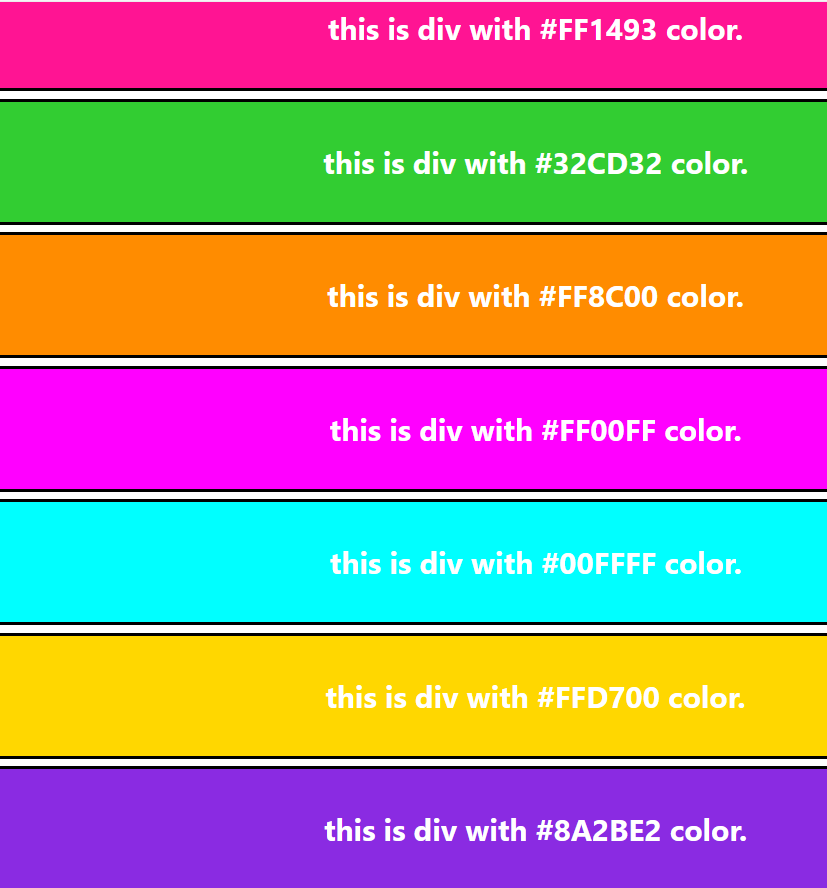
In the code below, there is a 'colors' array and a 'moreColors' array. When we reach the end of the page at "this is a div with a black color," more colors are fetched, thereby implementing infinite scroll.
import { useEffect, useRef, useState } from "react";
import "./App.css"

const App = () => {
  const moreColors = ['#FF00FF', '#00FFFF', '#FFD700', '#8A2BE2',
  '#00FF00', '#FF4500', '#7FFF00', '#FF1493', '#32CD32', '#FF8C00'];
  const lastElement = useRef();

  const [colors, setColors] = useState(['#FF5733', '#33FF57',
  '#5733FF', '#FF33A6', '#33A6FF', '#A6FF33', '#FF3366',
  '#3366FF', '#66FF33', '#FF6633']);
  const [isVisible, setIsVisible] = useState(false);

  useEffect(() => {
    const observer = new IntersectionObserver((entries) => {
      const entry = entries[0];
      setIsVisible(entry.isIntersecting);
    })
    observer.observe(lastElement.current);
  }, [])

  useEffect(() => {
    if (isVisible === true) {
      console.log("Fetch more colors...");
      setColors((preColors) => {
        return [...preColors, ...moreColors];
      });
      console.log(colors);
    }
  }, [isVisible])

  return (
    <div>
      {colors && colors.map((color, index) => {
        return (
          <div key={index} style={{ backgroundColor: color }}
           className="divClass">
            this is div with {color} color.
          </div>
        )
      })}
      <div style={{ backgroundColor: "black" }}
       className="divClass" ref={lastElement}>
        this is div with black color.
      </div>
    </div>
  );
}

export default App;
.divClass {
  color: white;
  height: 5rem;
  border: 2px solid black;
  border-radius: 1rem;
  display: flex;
  justify-content: center;
  align-items: center;
  font-size: 20px;
  font-weight: 700;
  margin: 5px;
}